
The Slow Death of the Password: Why Logging In Is Finally Changing
For decades, the password has been one of the most familiar rituals of digital life. Create an account, invent a combination of letters, numbers and symbols, remember it, forget it, reset it and repeat the process across dozens of websites and apps.
That routine is finally beginning to change.
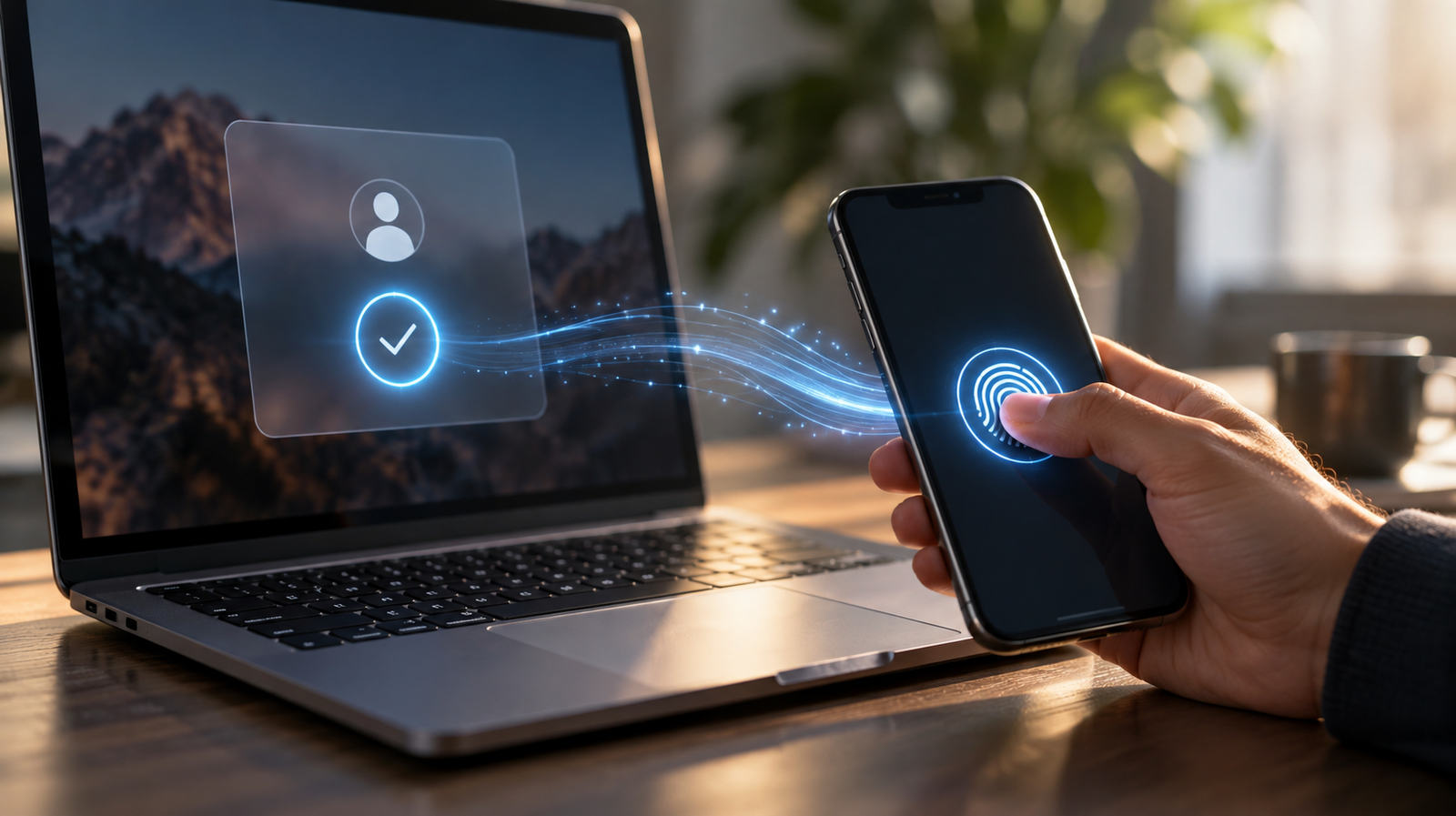
Passwordless login is moving from a security concept into an everyday experience. Passkeys allow people to access accounts using the same fingerprint, face scan or device PIN they already use to unlock a phone or computer, without typing a traditional password. Google, Apple and Microsoft have all built passkey support into their ecosystems, while Microsoft now creates new consumer accounts without a password by default.
At Athens Pulse, the interesting part is not only that authentication is becoming more secure. It is that one of the most persistent pieces of internet friction may gradually disappear from everyday life. Logging in is starting to become something we confirm rather than remember.
The Password Survived Because Everyone Understood It
Passwords lasted so long partly because the basic idea was easy to understand.
A secret belongs to you. If you know it, you can enter.
That simplicity made passwords remarkably portable. They worked across operating systems, browsers, banks, forums, email providers and almost every generation of the web. No special hardware was required and no ecosystem needed to agree on much beyond a box asking for a username and another asking for a password.
The problem is that the modern internet eventually asked passwords to do far more than they were designed to handle.
People accumulated dozens or even hundreds of accounts. Services introduced increasingly strict requirements for length, symbols and uniqueness. Data breaches made password reuse dangerous, while phishing attacks exploited the fact that users could be persuaded to type their credentials into the wrong website.
The result was an authentication system that remained universal while becoming increasingly inconvenient to use safely.
We Tried to Fix Passwords by Adding More Steps
The first major response was not to remove passwords but to reinforce them.
Two-factor authentication added another layer. A password might be followed by an SMS code, an authenticator app notification or a one-time code generated elsewhere.
That improved security in many situations, but it also made the sign-in ritual longer.
The user still had to remember or retrieve the password, then wait for another device or service to verify the login. When something failed, account recovery could become even more complicated.
In effect, the internet spent years trying to solve the weakness of passwords by placing additional authentication around the password.
Passkeys approach the problem differently.
Instead of protecting the secret more aggressively, they remove the shared secret from the sign-in process.
What Is a Passkey?
A passkey is a digital credential built on public-key cryptography. Instead of a website storing a secret password that both the user and the service effectively depend on, the system creates a cryptographic key pair.
The service keeps the public part. The private part remains with the user’s device or credential provider and is unlocked locally using the same mechanism used to unlock the device itself, such as a fingerprint, facial recognition or PIN. Biometric information stays on the device rather than being sent to the website.
From the user’s perspective, however, the technology can feel much simpler.
A website asks you to sign in.
Your phone or computer asks you to verify that it is you.
You touch a fingerprint sensor, use Face ID or enter the local device PIN.
You are in.
The complicated cryptography happens underneath an interaction that feels almost ordinary.
The Important Change Is That There Is Nothing to Remember
This may be the most significant behavioural shift.
Passwords require users to carry information in their heads — or store it somewhere else so they do not have to.
Passkeys move that responsibility to the device.
The user no longer needs to know the credential itself. They only need access to a trusted device and the ability to unlock it.
That distinction changes the relationship between memory and identity online.
For decades, proving who you were on the internet often meant proving that you knew a particular string of characters.
With passkeys, proof increasingly becomes:
I possess this device, and I can unlock it.
The authentication process moves away from knowledge and toward possession plus local verification.
Phishing Becomes Much Harder
One of the biggest weaknesses of passwords is that they can be given away.
A convincing fake login page can ask for a username and password, and the victim can unknowingly provide exactly what the attacker needs.
Passkeys are designed differently. They are tied cryptographically to the legitimate website or application for which they were created, meaning the credential cannot simply be entered into an imitation domain. FIDO describes passkeys as phishing-resistant for this reason.
This does not mean passkeys eliminate every form of online fraud. Attackers can still target account recovery, devices, sessions and users through other forms of social engineering.
But they remove one of phishing’s oldest tricks: convincing someone to type a reusable password into the wrong box.
That is a substantial change because the security improvement does not depend on the user becoming better at recognising every fake login page.
The system itself is designed to refuse the credential in the wrong place.
The Industry Has Moved Beyond the Experimental Stage
Passkeys are no longer a niche feature hidden inside security settings.
The FIDO Alliance estimated in May 2026 that around 5 billion passkeys were in active use worldwide. In a survey it commissioned among 11,000 consumers across ten countries, 75% said they had enabled a passkey on at least one account, while 49% said they used passkeys regularly when available.
Those figures should be read in context: they come from FIDO Alliance research and the consumer sample covered ten countries rather than the entire global population. Even so, they illustrate how quickly passkeys have moved from specification to real-world use.
The underlying web standard is also maturing. In August 2026, WebAuthn Level 3 became a full W3C Recommendation, giving the technology an updated stable standard on which browsers, platforms and online services can build.
The story is therefore no longer about whether passwordless authentication is technically possible.
It is increasingly about how quickly it becomes normal.
Google Helped Make the Passkey Feel Ordinary
Google began offering passkeys for personal Google Accounts in 2023 and later made passkey-first prompts the default experience, encouraging users to skip the password when possible. Today, a Google Account can use a fingerprint, face scan or device screen lock to authenticate through a passkey.
That matters because authentication technologies often succeed or fail based on familiarity.
Most people do not want to study a new security system.
They simply want the login to work.
By turning the same biometric gesture already used to unlock a smartphone into a way of entering online accounts, passkeys can introduce stronger authentication without asking users to learn an entirely unfamiliar behaviour.
The technology changes underneath.
The gesture stays familiar.
Microsoft Is Going Further Toward Passwordless Accounts
Microsoft has taken an even more explicit step.
Since 2025, newly created Microsoft consumer accounts have been passwordless by default, meaning users can create an account without enrolling a traditional password at all. Microsoft also redesigned its sign-in experience to prioritise passwordless methods and prompt users toward passkeys when available.
The shift is continuing in enterprise authentication. From September 1, 2026, Microsoft Entra ID began making passkeys the default authentication experience for users enabled for SMS or voice authentication, with Microsoft also moving toward retiring its own SMS and voice delivery for those enterprise flows.
That is an important symbolic change.
For years, passwordless authentication existed as an alternative to the default.
Increasingly, the password itself is becoming the alternative.
Apple Makes the Credential Follow the User
Apple’s implementation illustrates another important part of the passkey model: synchronisation.
Passkeys stored through iCloud Keychain can be available across a user’s Apple devices, allowing someone to create the credential on one device and use it elsewhere without manually copying or remembering anything. Apple also supports using an iPhone to authenticate on non-Apple devices.
Similar cross-device approaches are available through other credential managers.
This is essential because passwords had one practical advantage that was easy to underestimate: they were portable because people could type them almost anywhere.
A replacement needs to achieve portability without recreating the same security problem.
Synced passkeys attempt to solve that by moving the credential securely through a trusted ecosystem rather than relying on the user to remember and manually reproduce it.
The Phone Is Becoming an Identity Device
The smartphone has already replaced cameras, tickets, bank cards, boarding passes and many other physical objects.
Authentication adds another role.
The phone increasingly acts as a personal identity authenticator.
It contains the credential.
It verifies the user.
It can help sign into another nearby device.
And because people already protect smartphones with biometrics or PINs, the security model builds on behaviour that has become routine.
This changes the symbolic role of the device.
Your phone is no longer merely something through which you access an account.
Increasingly, it becomes one of the things that proves you should have access to the account at all.
Losing a Device Becomes the New Anxiety
Removing passwords does not remove the need for account recovery.
It changes the problem.
The familiar fear was:
What happens if I forget my password?
The newer question becomes:
What happens if I lose the device that holds my passkey?
Synced credential systems reduce that risk because passkeys can often become available again through another device connected to the same credential provider. Users can also maintain multiple passkeys or use hardware security keys depending on the service and security requirements.
But recovery remains one of the most important parts of the passwordless transition.
A beautifully secure sign-in system can still create frustration if a lost phone, changed platform or damaged device makes account recovery confusing.
The death of the password therefore depends not only on making sign-in better.
It depends on making failure and recovery understandable too.
Passwordless Does Not Mean Biometric Data Is Sent Everywhere
The phrase “sign in with your face” can easily create the impression that websites receive a facial scan or fingerprint.
That is not how the passkey model works.
The biometric check is performed locally by the device. Google, Microsoft, Apple and FIDO all describe the biometric information as remaining on the user’s device rather than being sent to the remote service. The website receives the cryptographic proof needed to authenticate the account, not the fingerprint itself.
This distinction is important because the visible experience and the technical process are very different.
The user sees Face ID or a fingerprint sensor.
The website sees proof that the authorised device successfully verified its user.
The Login Screen May Eventually Become Much Smaller
Think about how much space authentication occupies on the modern web.
Email field.
Password field.
“Show password.”
“Forgot password?”
Password rules.
Captcha.
SMS code.
Authenticator prompt.
Recovery email.
Each layer represents a response to the limitations of the previous one.
Passkeys create the possibility of reducing that interface dramatically.
If the device already knows which credential belongs to the website and the user can approve access locally, sign-in starts looking less like completing a security form and more like confirming an action.
That may sound like a small UX improvement.
Across millions of daily logins, however, small amounts of friction accumulate.
This is where the passwordless transition begins to affect not just cybersecurity but the overall feel of the internet.
The Internet Is Moving From Authentication as a Test to Authentication as a Gesture
Passwords often feel like a test.
Can you remember the secret?
Did you capitalise the correct letter?
Did you use the symbol?
Was this the account where you added “2025!” at the end?
Passkeys turn authentication into something closer to a gesture.
Look at the phone.
Touch the sensor.
Enter the device PIN.
That behavioural simplification matters because the best infrastructure often disappears from conscious attention.
People do not want authentication to be an activity.
They want authentication to be the brief moment before the activity they actually came to perform.
Removing Login Friction Has Value Beyond Security
A difficult sign-in process does more than annoy users.
It can cause people to abandon account creation, give up on a checkout or avoid returning to a service because retrieving access feels like too much work.
The forthcoming Targeted.gr article, “Login Friction: How Authentication Can Cost Brands Conversions” will examine this customer-experience side of passwordless authentication: what happens when the login itself becomes an obstacle between a brand and a customer.
From an Athens Pulse perspective, the broader change is cultural.
Users increasingly expect digital experiences to recognise them with minimal effort. Authentication is starting to move in the same direction as contactless payments, biometric phone unlocking and digital wallets: an action that once required deliberate input becomes almost invisible.
Passwords Create Work Behind the Screen Too
The inconvenience of passwords is not limited to the person trying to sign in.
Businesses maintain password-reset flows, recovery systems, support processes and security controls partly because people forget credentials, reuse them or lose access.
The forthcoming Market Insiders article, “The Authentication Cost: What Businesses Pay for Password-Based Identity” will examine the operational side of that problem: how passwords create support costs, security overhead and account-recovery complexity long after the login page itself has been built.
That adds another reason the passwordless transition may accelerate.
A better authentication experience can potentially solve pain on both sides of the screen.
But Passkeys Still Need to Be Explained
There is an unusual problem with passkeys: the technology is easier to use than it is to describe.
“Password” is instantly understandable.
“Passkey” sounds similar enough that users can reasonably wonder whether it is simply another kind of password.
Terms such as credential provider, public key, private key, device-bound credential and cross-device authentication can make a simple interaction sound intimidating.
This is why the user experience matters so much.
People do not necessarily need to understand public-key cryptography before using a passkey, just as they do not need to understand every part of TLS encryption before visiting a secure website.
But they do need to know where the passkey is stored, what happens if they change phones and why their fingerprint is not being uploaded to a website.
The forthcoming Techrow.gr article, “Passkeys Explained: How Passwordless Login Works on Your Phone and Laptop” will deal with that practical layer and explain what actually happens when a phone or computer signs into a website without a password.
The Transition Will Be Messy for a While
The password is not disappearing tomorrow.
Many services still depend on it. Some support passkeys but retain passwords as fallback methods. Older devices and software may not provide the same experience, and organisations have different security and recovery requirements.
Even Google, while promoting passkey-first authentication, still allows users to choose password sign-in in many situations.
That means the near future is likely to be hybrid.
One website asks for a password.
Another sends a code.
Another offers “Sign in with Google.”
Another uses a passkey.
Another asks you to scan a QR code from your phone.
The transition may temporarily make authentication feel more fragmented rather than less.
The long-term direction, however, is becoming clearer: passwords are gradually losing their position as the universal starting point.
Account Recovery May Become More Important Than Login
There is an interesting consequence when everyday sign-in becomes extremely easy.
The difficult part shifts elsewhere.
If people rarely type passwords, they may think less about credentials altogether. That makes account recovery, device replacement and credential migration more important moments in the overall experience.
The user may go months without thinking about authentication and then suddenly need to recover access after losing a phone.
The quality of that one exceptional experience can determine whether passwordless technology feels liberating or frightening.
In other words, the future authentication battle may not be won on the login screen.
It may be won on the “I no longer have my old device” screen.
Security Is Becoming Less Visible
For years, stronger online security often meant more visible inconvenience.
Longer passwords.
Extra codes.
More prompts.
More warnings.
Passkeys represent an attempt to reverse that relationship.
Stronger authentication can happen underneath a simpler interaction.
The FIDO Alliance argues that passkeys combine phishing resistance with faster sign-ins, while platform providers increasingly present them as a way to reduce both security risk and user effort.
That is perhaps the most important shift.
Users have been trained to associate security with friction.
Passwordless authentication suggests that the future may work differently.
The safest option could also become the easiest one.
The Password May Disappear Without Anyone Noticing
Technological transitions are not always dramatic.
There may never be a day when the internet collectively declares that passwords are over.
Instead, people may simply type them less often.
A new laptop asks for a face scan.
A phone automatically offers a stored passkey.
A new account never asks the user to create a password in the first place.
A familiar service quietly changes its default sign-in method.
Eventually, someone may realise that they cannot remember the last time they actually typed a password.
That would be a fitting end for one of the internet’s most persistent technologies.
Not a sudden shutdown.
Just a gradual disappearance from everyday attention.
Because the biggest sign that passwordless login has succeeded may be that logging in stops feeling like something we have to think about at all.
Frequently Asked Questions
What is passwordless login?
Passwordless login is authentication that allows a user to access an account without entering a traditional password. Passkeys are one of the main technologies being used to enable this experience.
What is a passkey?
A passkey is a cryptographic credential used to authenticate an account. It can be unlocked using a device’s fingerprint sensor, facial recognition or PIN, while the private credential remains protected by the user’s device or credential provider.
Are passkeys safer than passwords?
Passkeys are designed to be resistant to phishing and credential reuse because there is no reusable password for a user to type into a fake website. They use public-key cryptography and are tied to the service for which they were created.
Does a website receive my fingerprint or face when I use a passkey?
No. The biometric verification takes place locally on the user’s device. The website receives authentication proof rather than the user’s biometric data.
What happens if I lose the phone that stores my passkey?
Many passkeys can be synchronised through credential managers, making them available on other authorised devices. Services may also support additional passkeys, security keys or account-recovery methods. The exact recovery process depends on the provider
Are passwords disappearing completely?
Not yet. Many services continue to support passwords as a fallback or primary authentication method, and the transition to passkeys will take time. However, major platforms increasingly prioritise passwordless authentication, and Microsoft now creates new consumer accounts without passwords by default.
Can passkeys work across different devices?
Yes. Passkeys can be synchronised through supported credential managers, and cross-device authentication can also allow one device, such as a smartphone, to approve sign-in on another device.